
Notifications are the lifeline of modern communication. From important work emails to personal messages and app alerts, staying on top of every notification is critical for productivity and maintaining strong professional relationships.
- Custom notification settings help you prioritize what matters most
- Smart filtering reduces alert fatigue while keeping critical messages visible
- Cross-device sync ensures you never miss a notification regardless of which device you are using
- Periodic review of notification preferences maintains optimal alert hygiene
Understanding Notification Overload
In an age where the average smartphone user receives over 60 notifications per day, it is easy to become overwhelmed. Important alerts get buried under a pile of promotional messages, social media updates, and app reminders.
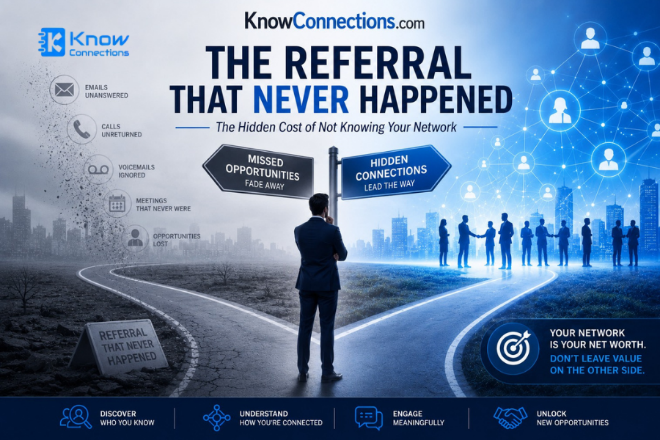
Notification overload does not just cost you time, it costs you opportunities. Missed messages from clients, overlooked meeting reminders, and ignored follow-up alerts can damage professional relationships and hinder business growth.
Studies show that it takes an average of 23 minutes to refocus after being interrupted by a notification. Strategic notification management can save professionals up to 10 hours per week in regained focus time.
Optimizing Your Notification Settings
The first step to never missing an important notification is taking control of your notification settings. Most apps offer granular controls that let you decide which alerts break through and which can wait.
Priority-Based Filtering
Modern operating systems and apps now support intelligent notification filtering. By setting priority levels for different contacts and apps, you ensure that critical communications always get your attention while less urgent alerts remain accessible without being disruptive.
Use notification categories to separate work communications from personal alerts. Assign VIP status to key clients and team members so their messages bypass Do Not Disturb modes and always reach you immediately.
Cross-Device Notification Strategies
With professionals using multiple devices throughout the day, ensuring seamless notification delivery across all platforms is essential. A message sent to your phone should be just as visible on your tablet or desktop.
- Unified Inbox — Centralize notifications from all your devices into a single feed so nothing slips through the cracks
- Cloud Sync — Enable cloud-based notification history that persists across device restarts and replacements
- Smart Dismissal — Dismiss a notification on one device and have it disappear from all others automatically
- Critical Alerts — Configure emergency contacts whose messages trigger special sounds and persistent banners
- Scheduled Summary — Receive a digest of non-urgent notifications at designated times to reduce interruptions
of professionals who implement cross-device notification strategies report fewer missed important messages
Ready to Take Control of Your Notifications?
Discover how Know Connections helps you manage your communications smarter.
Book a DemoBest Practices for Notification Management
Implementing effective notification management requires a combination of the right tools and the right habits. Follow these proven strategies to stay on top of every important alert without feeling overwhelmed.
Start by auditing your current notification setup. Review each app's permissions and decide which truly need your immediate attention. Disable notifications for apps that are purely informational and can be checked on your own schedule.
Enabling notifications for every app just because you might need them occasionally. This creates alert fatigue, causing you to ignore or miss truly important notifications. Be selective and intentional about what gets your attention.
Conducting a Notification Audit
Set aside time each month to review your notification settings. Apps update frequently, often enabling new notification categories by default. A regular audit ensures your preferences stay aligned with your priorities.
- Audit weekly — Review which apps sent notifications and evaluate their importance
- Categorize ruthlessly — Group notifications into urgent, important, and informational tiers
- Use focus modes — Schedule focused work periods where only critical alerts pass through
- Enable notification history — Keep a log of all notifications so you can review anything you might have missed
- Leverage smart replies — Respond to messages quickly from the notification itself to maintain momentum
Frequently Asked Questions
Common questions about notification management
How can I stop missing important notifications without checking my phone constantly?
Use priority-based notification settings to designate VIP contacts whose messages always break through. Pair this with a notification history log so you can review any non-critical alerts at your convenience without fear of missing something important.
What is the best way to manage notifications across multiple devices?
Use a unified notification management system that syncs across all your devices. Enable cloud-based notification history and smart dismissal so that acting on a notification on one device clears it everywhere. Apps like Know Connections offer cross-device sync for seamless management.
How do I reduce notification overload without missing critical alerts?
Start by auditing every app's notification permissions. Disable all non-essential notifications. Then use notification categories and focus modes to create schedules where only urgent alerts from designated contacts come through. Review your notification history daily to catch anything you might have missed.
Can I recover notifications I accidentally dismissed?
Yes, most modern operating systems maintain a notification history log. On Android, you can access this through Settings > Notifications > Notification History. iOS users can check the Notification Center or use third-party apps that log notification activity for later review.







.png)